How to pay Property Tax online?

Paying your property tax online is a quick and convenient way to stay compliant and avoid late fees. With just a few clicks, you can complete the process from the comfort of your home. Here’s how to do it:
Go to https://portaltulum.com/kute/wplogin.aspx and create an account. Foreigners are not required to fill in the fields for "RFC" and "CURP."
After registering, log in with your email and password at the same link.

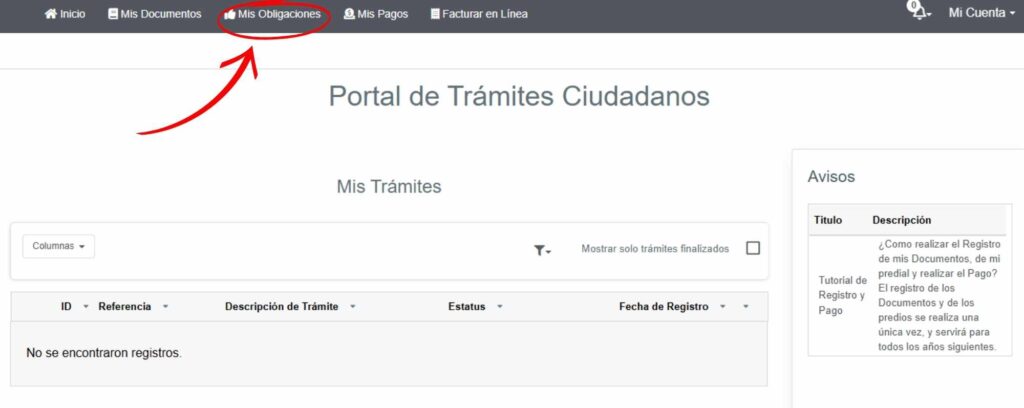
Once logged in, click on "Mis Obligaciones."
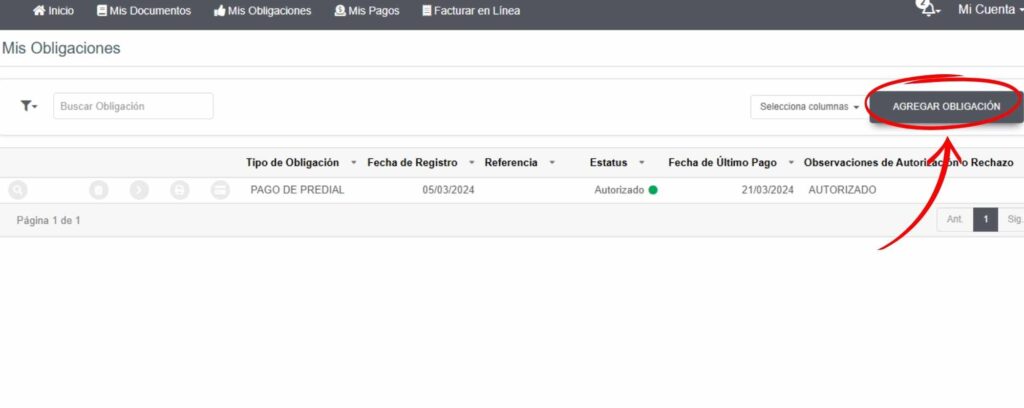
Select “AGREGAR OBLIGACIÓN.”
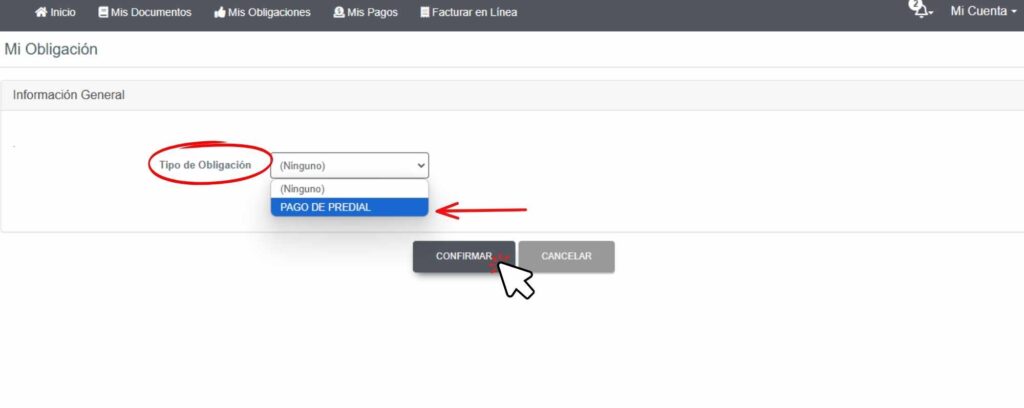
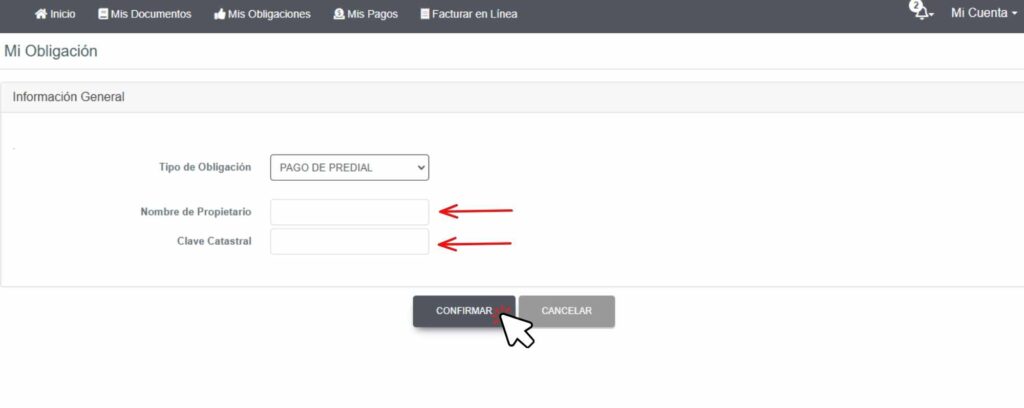
Choose "PAGO PREDIAL" and click "CONFIRMAR."
Fill in your name in “Nombre del Propietario” and your cadastre code (include the dash "-") in “Clave catastral,” then click "CONFIRMAR."
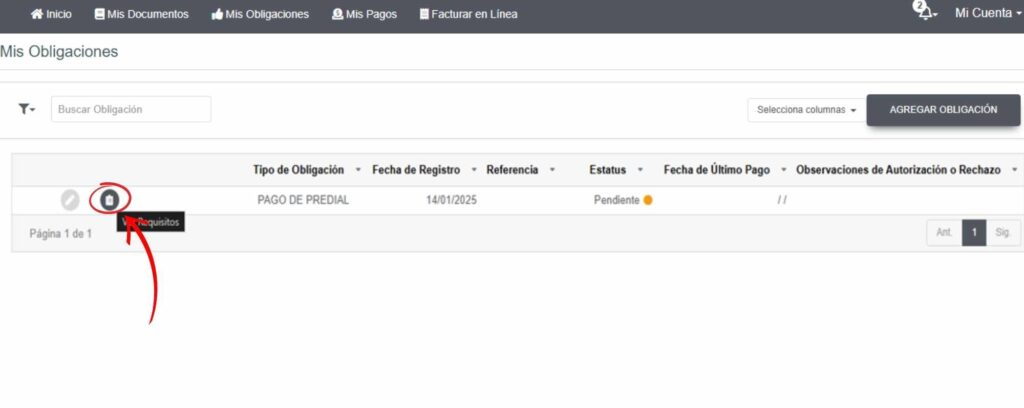
- Click the “Requisitos” symbol.
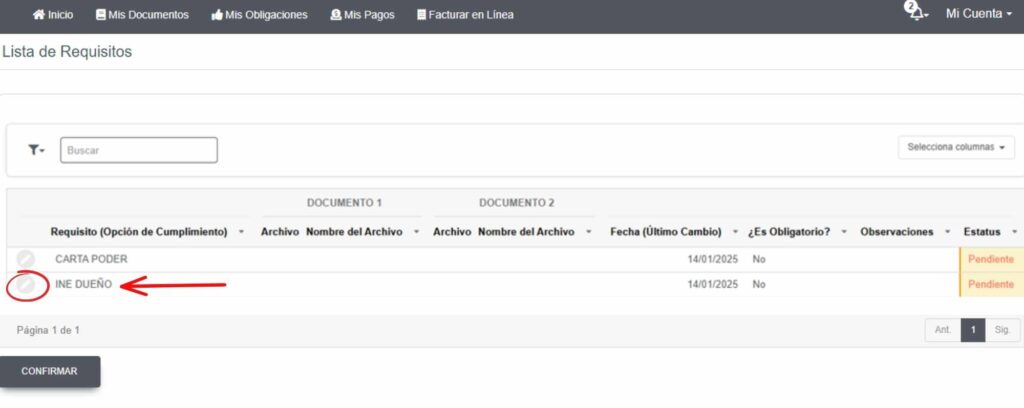
- Click on the “Subir Archivo” symbol, which is located in the "INE DUEÑO" option.
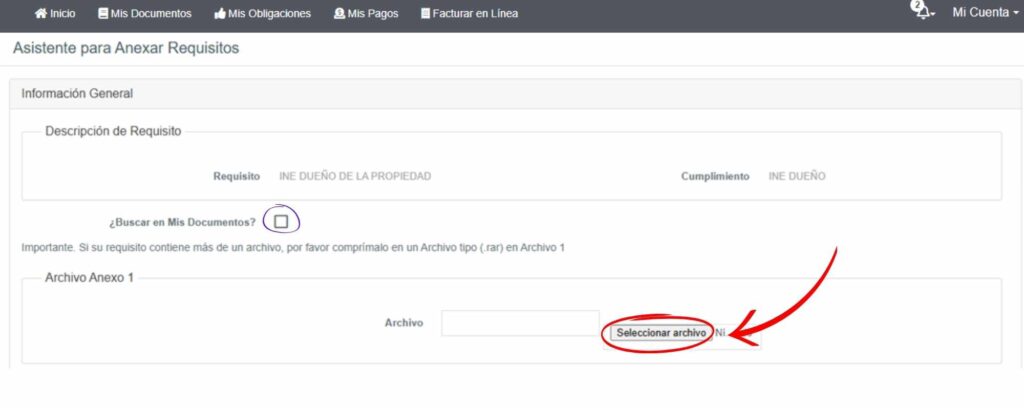
- Upload a scanned copy of your passport in PDF format (indicated by the arrow and red circle) and click on “CONFIRMAR.”
- If you have already uploaded your ID, click on the box (indicated in the image above with a purple circle) and then click "Buscar symbol." After uploading, select the file by clicking the corresponding box and then click "CONFIRMAR."
Your data and information uploaded into the system will be validated, and you should receive a response within a minimum of 2 hours and a maximum of 72 hours.
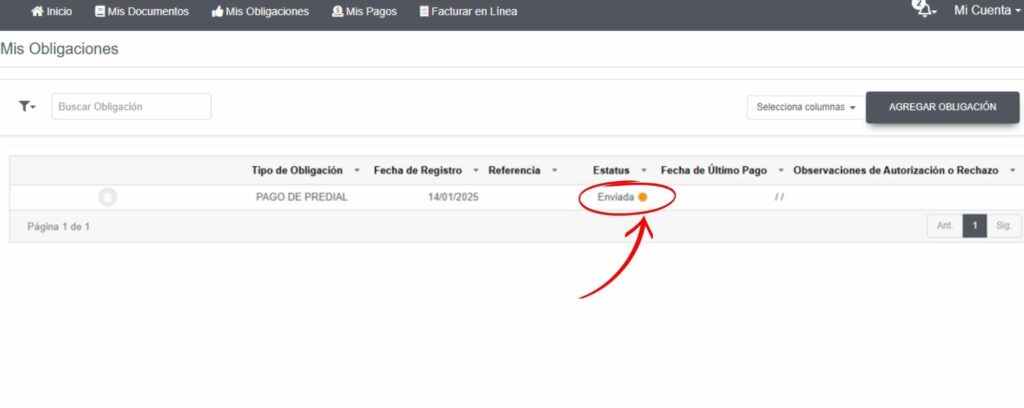
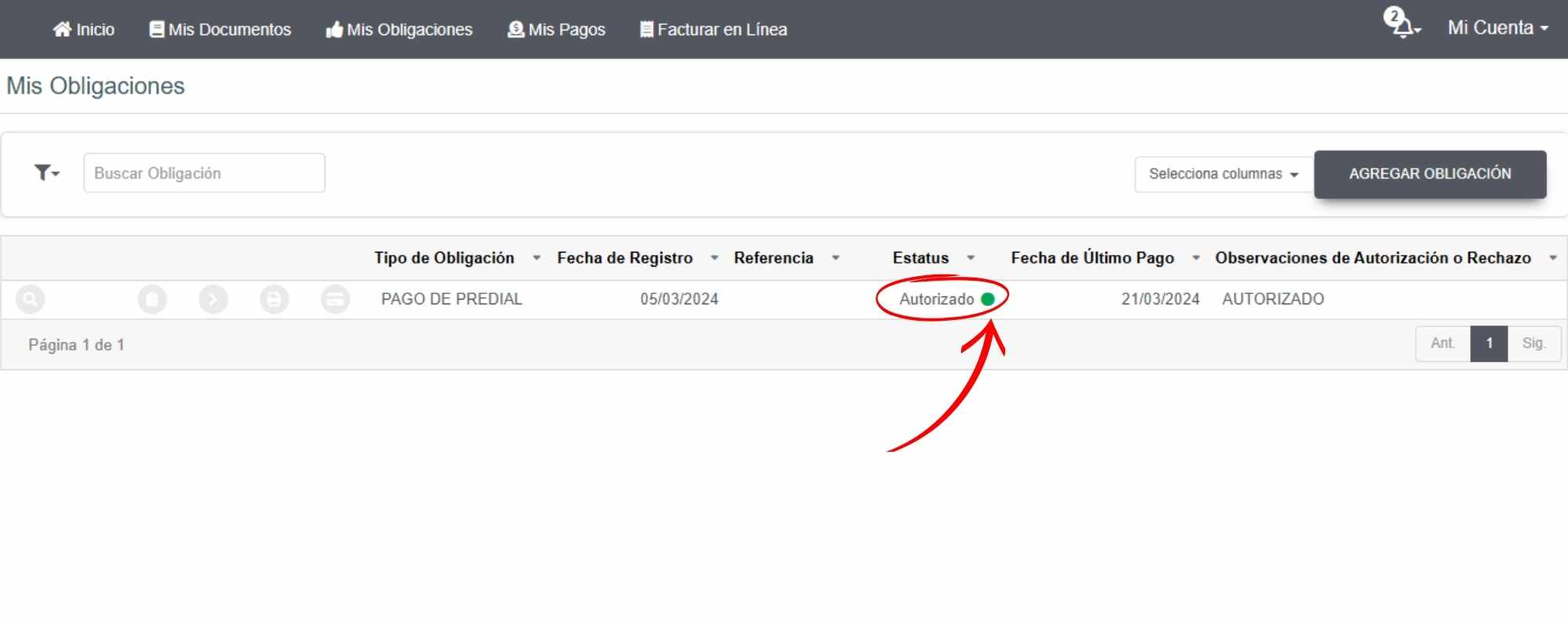
Once authorized (status will show "Autorizado" with a green dot):
-
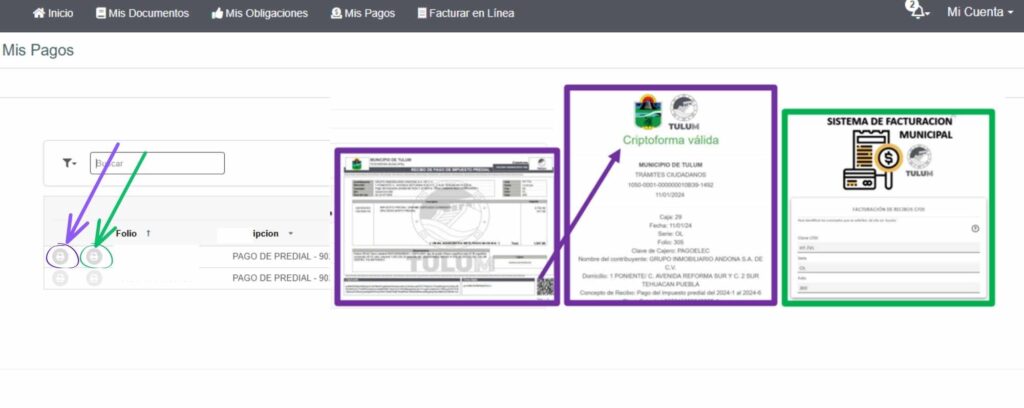
For in-person payment: Click the purple arrow to download a document for cash payment at the municipality's payment window.
-
For online payment: Click the green arrow and proceed with payment using a debit or credit card.
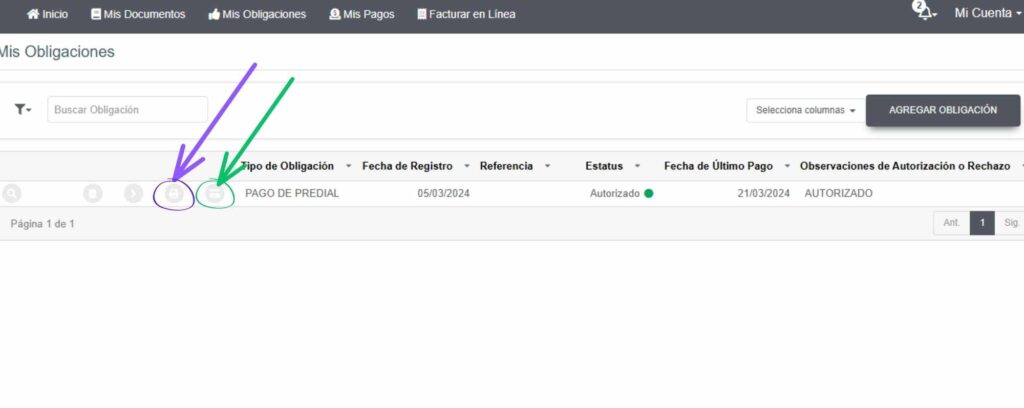
After payment, reprint the receipt for confirmation (“RECIBO DE PAGO DE IMPUESTO PREDIAL”). Click on the area indicated by the purple arrow to proceed.
-
- After payment, reprint the receipt for confirmation ("RECIBO DE PAGO DE IMPUESTO PREDIAL") Click on the area indicated by the purple arrive to proceed.
-
- For invoice generation, click the green arrow location ( if required for SAT (Tax Administration Service) reporting).